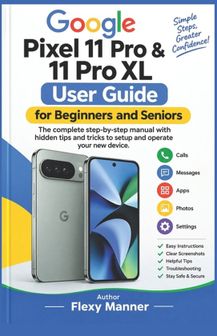
Google Pixel 11 Pro & 11 Pro XL User Guide for Beginners and Seniors: The complete step-by-step manual with hidden tips and tricks to setup and operate your new device

Google Pixel 11 Pro & 11 Pro XL User Guide for Beginners and Seniors: The complete step-by-step manual with hidden tips and tricks to setup and operate your new device

Alle 2 prijzen en aanbieders

Meest populaire keuze
Laagste prijs
Amazon.be Marketplace· Marketplace
€ 23,28
3 tot 4 dagenGratis verzending
Check de website voor de levertijd | Gratis bezorgd > €20,-
Bekijk product
Bekijk product
Laagste prijs
Amazon.be· Bekende aanbieder
€ 23,28
3 tot 4 dagenGratis verzending
Check de website voor de levertijd | Gratis bezorgd > €20,-

Bekijk
Bekijk product

Specificaties

Belangrijkste kenmerken
EAN
9798176827385

Productomschrijving

Getting a new smartphone should feel exciting-not confusing. This book is a practical, easy-to-follow manual designed to help beginners and senior users understand, set up, customize, and confidently use their Pixel smartphone.
From the moment you take your phone out of the box, this guide walks you through the essential steps in clear, simple language. You will learn how to identify the phone's buttons, ports, camera area, touchscreen controls, gestures, and navigation features before moving on to more advanced everyday tasks.
Inside this guide, you will discover how to: - Set up your Google Pixel 11 Pro or Pixel 11 Pro XL from the beginning- Connect to Wi-Fi and mobile networks- Sign in to your Google Account and transfer information from an old phone- Set up screen locks, fingerprint or face authentication, and privacy permissions- Understand the Home screen, notifications, Quick Settings, and touchscreen gestures- Make and receive calls and manage your contacts- Send messages, photos, and other information safely- Take photographs and record videos using the Pixel camera- Explore photo-editing and AI-powered features- Use Gemini, Google Lens, Circle to Search, voice typing, and other smart tools- Customize the Home screen, text size, display, sounds, and accessibility features- Manage battery life, charging, storage, backups, and phone performance- Protect your personal information and recognize potentially suspicious calls, links, and requests- Find settings quickly using Settings Search- Troubleshoot common problems with practical step-by-step checks and solutionsThe book also provides directional instructions, practice exercises, quick-reference guides, beginner tips, and senior-friendly recommendations to make learning easier. Instead of expecting you to memorize everything at once, the guide encourages you to learn one feature at a time and practice the basic actions until they become comfortable.
Whether you are purchasing your first Pixel, upgrading from another smartphone, helping a family member learn their new device, or simply want to get more from your Pixel 11 Pro or Pixel 11 Pro XL, this manual gives you a straightforward path from basic setup to confident everyday use.
Learn at your own pace. Follow the directions, practice the exercises, explore the features, and make your Google Pixel work for you.

Er zijn nog geen reviews geschreven

Vraag 1 van 4

Heb jij dit product in bezit en wil je graag je mening geven? Start dan hieronder met het schrijven van je review. Afhankelijk van de details duurt het schrijven van een review gemiddeld tussen de 3 en 10 minuten. Met jouw mening help je andere bezoekers een betere keuze te maken én maak je iedere maand kans op €250,-! Klik hier voor de actievoorwaarden.

Welk cijfer geef jij dit product?