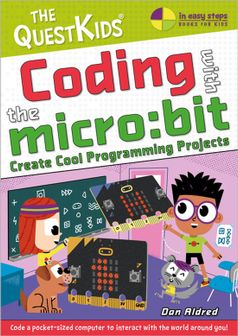
Coding Libri GmbH Coding With BBC Micro Bit

Coding Libri GmbH Coding With BBC Micro Bit

Alle 2 prijzen en aanbieders

Meest populaire keuze – Scherpste prijs!

Amazon.be· Bekende aanbieder
€ 17,49
-12% prijsdaling
3 tot 4 dagenGratis verzending
Check de website voor de levertijd | Gratis bezorgd > €20,-
Bekijk product
Bekijk product
Amazon.be Marketplace· Marketplace
€ 17,49
3 tot 4 dagenGratis verzending
Check de website voor de levertijd | Gratis bezorgd > €20,-
Bekijk product
Bekijk product

Specificaties

Belangrijkste kenmerken
EAN
9781787910003

Productomschrijving

First, Coding with micro:bitintroduces you to the hardware and software features of the micro:bit,including the built-in microphone, speaker, and touch sensor added in micro:bitversion 2. You’ll learn new skills such as how to code your micro:bit to playmusic, send messages, display pictures, and detect light.

  • Getting started: Thissection gives you a tour of the micro:bit and gets you started with coding yourfirst program.
  • Basics: Here, you’lllearn to display images and text on the micro:bit’s LED grid.
  • Inputs:: This sectionshows you how to work with the input systems on the micro:bit, like thebuttons, the accelerometer, and the light sensor.
  • Once you’ve mastered these skills, the book guidesyou through 10 exciting projects, including a temperature sensor, simpleinteractive games, and even an alarm system!

    1. The 99 game:This first project is a game of chance that involves throwing the micro:bitamong a group of people. You’ll learn more about coding, like using variablesand control flow techniques.
    2. Heads or tails:In this project, you’ll use the LED grid and accelerometer to create a “cointoss” generator that detects when you flip your micro:bit, and displays headsor tails.
    3. Steady hand game:This game challenges you to hold your micro:bit in your hand as long as you canwithout wobbling. You’ll also learn more about the micro:bit’s abilities andother fundamental coding techniques.
    4. Temperature display:Here, you’ll use the micro:bit’s built-in temperature sensor to detect thetemperature and scroll it across the LED grid.
    5. LED control:In this project, you’ll learn how to wire up an external LED and control itwith code. This exercise teaches you about using the micro:bit with othercomponents so you can build even bigger projects.
    6. Trespasser alarm:By connecting a speaker to your micro:bit, you’ll create an alarm system thatdetects when someone has broken into your room and alerts you by playing atune.
    7. Fortune teller:This project ramps up the coding complexity, showing you how to program yourmicro:bit to tell your fortune just like a Magic 8-Ball!
    8. Compass: Here,you’ll turn the micro:bit into a real working compass using its built-inmagnetometer.
    9. Radio communication:In this project you’ll use two micro:bits to send and receive radio messages.
    10. Bag alarm:Using your radio skills from the previous project combined with theaccelerometer, you’ll build a bag alarm with two micro:bits. The firstmicro:bit stays inside your bag and alerts a second micro:bit in your pocket ifsomeone tries to steal your bag.

    Each project has been designed to work with bothversions of the micro:bit.

    You’ll find “Try This” sections that suggest otherways for you to try out your new knowledge. These ideas will inspire you tobuild your own projects with the micro:bit.

    First, Coding with micro:bitintroduces you to the hardware and software features of the micro:bit,including the built-in microphone, speaker, and touch sensor added in micro:bitversion 2. You’ll learn new skills such as how to code your micro:bit to playmusic, send messages, display pictures, and detect light.


  • Getting started: Thissection gives you a tour of the micro:bit and gets you started with coding yourfirst program.
  • Basics: Here, you’lllearn to display images and text on the micro:bit’s LED grid.
  • Inputs: This sectionshows you how to work with the input systems on the micro:bit, like thebuttons, the accelerometer, and the light sensor.

  • Once you’ve mastered these skills, the book guidesyou through 10 exciting projects, including a temperature sensor, simpleinteractive games, and even an alarm system!


    1. The 99 game:This first project is a game of chance that involves throwing the micro:bitamong a group of people. You’ll learn more about coding, like using variablesand control flow techniques.
    2. Heads or tails:In this project, you’ll use the LED grid and accelerometer to create a “cointoss” generator that detects when you flip your micro:bit, and displays headsor tails.
    3. Steady hand game:This game challenges you to hold your micro:bit in your hand as long as you canwithout wobbling. You’ll also learn more about the micro:bit’s abilities andother fundamental coding techniques.
    4. Temperature display:Here, you’ll use the micro:bit’s built-in temperature sensor to detect thetemperature and scroll it across the LED grid.
    5. LED control:In this project, you’ll learn how to wire up an external LED and control itwith code. This exercise teaches you about using the micro:bit with othercomponents so you can build even bigger projects.
    6. Trespasser alarm:By connecting a speaker to your micro:bit, you’ll create an alarm system thatdetects when someone has broken into your room and alerts you by playing atune.
    7. Fortune teller:This project ramps up the coding complexity, showing you how to program yourmicro:bit to tell your fortune just like a Magic 8-Ball!
    8. Compass: Here,you’ll turn the micro:bit into a real working compass using its built-inmagnetometer.
    9. Radio communication:In this project you’ll use two micro:bits to send and receive radio messages.
    10. Bag alarm:Using your radio skills from the previous project combined with theaccelerometer, you’ll build a bag alarm with two micro:bits. The firstmicro:bit stays inside your bag and alerts a second micro:bit in your pocket ifsomeone tries to steal your bag.

    Each project has been designed to work with bothversions of the micro:bit.

    You’ll find “Try This” sections that suggest otherways for you to try out your new knowledge. These ideas will inspire you tobuild your own projects with the micro:bit.

    Reviews

    Er zijn nog geen reviews geschreven

    Heb jij dit product in bezit en wil je graag je mening geven? Start dan hieronder met het schrijven van je review. Afhankelijk van de details duurt het schrijven van een review gemiddeld tussen de 3 en 10 minuten. Met jouw mening help je andere bezoekers een betere keuze te maken én maak je iedere maand kans op €250,-! Klik hier voor de actievoorwaarden.

    Welk cijfer geef jij dit product?