Description du produit
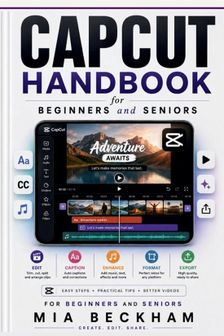
Edit Videos, Add Captions, and Create Better Content with ConfidenceVideo editing can feel complicated when you are faced with timelines, clips, text, music, effects, captions, formats, and export settings all at once.Updated CapCut Handbook for Beginners and Seniors provides a simple, practical way to learn the essential parts of CapCut without trying to master every feature at once.This handbook focuses on the everyday editing problems that matter most: getting started, making clean edits, improving your video's presentation, creating readable captions, preparing content for different platforms, and checking your finished video before sharing it.Inside, you will learn how to: - Find your way around CapCut without feeling overwhelmed- Understand the media area, preview window, timeline, tracks, and editing toolbar- Choose the right type and format of video for your goal- Import and organize videos, photos, audio, and other media- Trim unwanted sections from your clips- Split clips and remove unnecessary moments- Arrange clips in the right order- Add titles, labels, and other text- Add music, voiceovers, and sound effects- Use transitions without making your video feel distracting- Apply effects and filters more carefully- Create automatic captions and correct caption mistakes- Make captions easier to read- Prepare videos for TikTok, Reels, Shorts, and other platforms- Choose appropriate aspect ratios for different viewing environments- Use templates without allowing them to control your entire project- Use AI-assisted features while reviewing the results yourself- Keep your original videos and important media safe- Check timing, sound, text, captions, and visual quality before publishing- Export, download, and safely share your finished videoThe book follows a straightforward approach: Start with the purpose. Make the basic edits. Improve what matters. Preview the result. Then export and review it.You do not need to use every effect, template, or advanced feature to create a good video.In fact, a simple video with clear editing, readable text, balanced sound, and useful captions can often communicate better than one overloaded with effects.Whether you want to create short social media videos, family memories, educational content, announcements, demonstrations, personal projects, or other everyday videos, this handbook helps you move through the editing process one step at a time.You will also learn why automatic captions and AI-assisted tools should be reviewed rather than blindly trusted. Names, accents, technical terms, timing, translations, and visual changes can sometimes contain mistakes.By the end, you will have a clearer understanding of how the major parts of CapCut work together-and how to use them without making the editing process harder than it needs to be.Edit with less confusion. Create with more confidence. Share when you're ready.