Description du produit
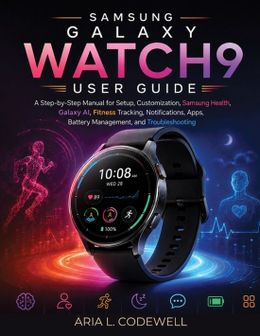
Your Galaxy Watch9 can do far more than tell the time. The real question is: do you know how to use everything you paid for?A new smartwatch should make your life easier, not leave you digging through confusing menus, wondering why notifications are missing, why the battery drains too quickly, or what all those health scores actually mean.Samsung Galaxy Watch9 User Guide gives you a clear, practical path from first-time setup to confident everyday use.Written for everyday users rather than technical experts, this step-by-step guide takes complicated features and explains them in straightforward language so you can spend less time guessing and more time enjoying your watch.Inside, you'll discover how to: - Set up and pair your Galaxy Watch9 correctly from the beginning- Understand the buttons, gestures, watch face, Quick Panel, widgets, and everyday navigation- Customize watch faces, display settings, sounds, vibration, accessibility options, and notifications- Use Samsung Health with greater confidence- Understand Energy Score, Vitals, Heart Health Score, Daily Cardio Load, and Fitness Index- Track workouts, heart rate, sleep, activity, and other wellness information- Explore Galaxy AI and Raise to Talk with Google Gemini- Install and manage apps and connect compatible accessories- Manage calls, messages, notifications, music, and everyday productivity features- Improve battery performance and identify settings or apps that may be draining power- Fix Bluetooth pairing problems, missing notifications, charging issues, inaccurate sensor readings, frozen apps, and other common frustrations- Protect your privacy, accounts, health information, and personal data- Back up, update, clean, maintain, and care for your watch for long-term useThe guide goes beyond explaining individual settings. It also shows how the Watch9 can fit naturally into real life, including your morning routine, commute, workouts, workday, travel, entertainment, and communication.Whether you're completely new to smartwatches, upgrading from an older Galaxy Watch, or switching from another wearable platform, you'll be able to move at your own pace and jump directly to the section you need.Instead of owning a powerful smartwatch while using only a fraction of what it can do, learn how to configure it around your lifestyle, health goals, communication needs, and daily routine.Spend less time searching for answers and more time enjoying what your Galaxy Watch9 was designed to do.Get your copy and start mastering your watch with confidence.This is an independently published, unofficial educational guide. It is not sponsored, authorized, approved, or endorsed by Samsung Electronics Co., Ltd., Google LLC, or their affiliates.