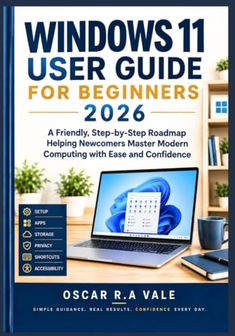
Guide pour débutants de Windows 11 publié indépendamment 2026 : une feuille de route conviviale et étape par étape aidant les nouveaux arrivants à maîtriser l'informatique moderne avec aisance et confiance

Guide pour débutants de Windows 11 publié indépendamment 2026 : une feuille de route conviviale et étape par étape aidant les nouveaux arrivants à maîtriser l'informatique moderne avec aisance et confiance

Tous les 2 prix et vendeurs

Choix le plus populaire – Meilleur prix !

Amazon.be· Vendeur reconnu
€ 21,37
3 à 4 joursLivraison gratuite
Check de website voor de levertijd | Gratis bezorgd > €20,-
Voir le produit
Voir le produit
Amazon.be Marketplace· Marketplace
€ 21,37
3 à 4 joursLivraison gratuite
Check de website voor de levertijd | Gratis bezorgd > €20,-
Voir le produit
Voir le produit

Spécifications

Belangrijkste kenmerken
EAN
9798175283830

Description du produit

WINDOWS 11 USER GUIDE FOR BEGINNERS 2026: A Friendly, Step-by-Step Roadmap Helping Newcomers Master Modern Computing with Ease and ConfidenceWindows 11 represents Microsoft's most refined operating system yet, blending a clean, modern design with powerful features built for everyday life. Yet for many people, especially those newer to computers or transitioning from an older system, that same modern design can feel unfamiliar and, at times, overwhelming. This book was created to close that gap, transforming confusion into confidence, one clear, patient step at a time.What You'll Get From This BookInside, you'll find a complete, beginner-friendly roadmap covering everything from your very first login to confidently troubleshooting common problems on your own. Written in plain, encouraging language, this guide skips confusing jargon in favor of real-world explanations, ensuring every reader, regardless of experience, walks away genuinely capable.Some Benefits You'll Gain- Confident, independent navigation of Windows 11- Simple, secure setup from the very first startup- Stress-free file and folder organization- Safe, scam-aware internet browsing habits- Easy email, video calling, and family connection- Smart use of free built-in productivity tools- Personalized settings suited to your comfort and vision- Reliable maintenance habits that extend your PC's life- Step-by-step troubleshooting for common problems- Lasting confidence that carries into future updates5 Reasons to Buy This Book- Written specifically for real beginners, not tech professionals- Clear, sequential chapters that never assume prior knowledge- Addresses genuine reader frustrations from real feedback- Balances thoroughness with an approachable, human tone- Doubles as both a first read and a long-term reference guideWho Should Read This BookThis guide is ideal for older adults, first-time computer owners, professionals switching from another system, and anyone who has ever felt embarrassed asking "simple" tech questions. If you want clarity without condescension, this book was written for you.What Sets This Book ApartUnlike dense technical manuals, this guide reads like a patient friend sitting beside you, explaining each step at exactly the right pace. It doesn't just tell you what to click; it explains why, building genuine understanding rather than memorized shortcuts.Call to ActionStop feeling intimidated by your own computer. Your Windows 11 device holds incredible potential, and this book hands you the key to unlock it, confidently and without frustration. Scroll up, grab your copy today, and take the first step toward becoming the confident computer user you've always wanted to be.

Aucun avis n’a encore été écrit

Question 1 sur 4

Tu possèdes ce produit et tu aimerais donner ton avis ? Commence ci-dessous à écrire ton avis. Selon le niveau de détail, écrire un avis prend en moyenne entre 3 et 10 minutes. Avec ton opinion, tu aides les autres visiteurs à faire un meilleur choix et tu tentes chaque mois de gagner 250 € ! Clique ici pour les conditions de l’action.

Quelle note donnes-tu à ce produit ?