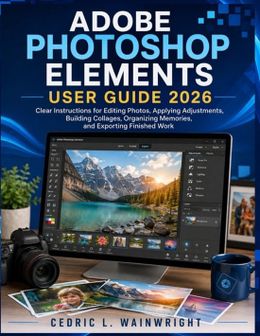
Adobe Photoshop Elements User Guide 2026

Adobe Photoshop Elements User Guide 2026

Tous les 2 prix et vendeurs

Hot Deal Alert – Meilleur prix !
Amazon.be· Vendeur reconnu
€ 16,48
3 à 4 joursLivraison gratuite
Check de website voor de levertijd | Gratis bezorgd > €20,-
Voir le produit
Voir le produit
Amazon.be Marketplace· Marketplace
€ 16,48
3 à 4 joursLivraison gratuite
Check de website voor de levertijd | Gratis bezorgd > €20,-
Voir le produit
Voir le produit

Spécifications

Belangrijkste kenmerken
EAN
9798193041719

Description du produit

Stop struggling with photo editing. Start creating with confidence.
Adobe Photoshop Elements 2026 makes powerful photo editing accessible, but knowing which tool to use, how to configure it, and how to fix unexpected results can still be challenging. Adobe Photoshop Elements User Guide 2026 was created to simplify that experience with clear, practical, step-by-step guidance for everyday editing, creative projects, photo organization, and problem solving.
This guide focuses on the questions that matter most: How do I improve a photo? Remove an unwanted object? Replace a background? Restore an old picture? Work with layers and selections? Organize my photos? And what should I do when an edit does not turn out correctly? Instead of forcing you to figure everything out through trial and error, the book explains what important tools do, when to use them, and how to approach common editing challenges.
Inside this guide, you will learn how to: - Navigate the Photoshop Elements 2026 workspace- Import, organize, and manage your photographs- Use Quick, Guided, and Advanced editing workflows- Correct brightness, color, sharpness, and composition- Crop, resize, straighten, and enhance images- Work with selections and layers- Remove unwanted objects and improve backgrounds- Restore damaged and aging photographs- Use AI-powered editing and generative features- Create creative compositions, collages, and visual projects- Add text, effects, motion, and animation- Use templates and modern creative workflows- Import mobile photos using QR-code workflows- Troubleshoot common editing problemsUpdated for 2026, this guide covers the latest Photoshop Elements capabilities, including generative AI tools, AI-powered photo restoration, enhanced object removal, templates, and improved photo-import workflows.
But this book is about more than learning where buttons are located. It teaches you how to think through an editing problem, choose the right approach, make adjustments, evaluate the result, and correct mistakes . That practical approach makes it useful not only as a learning resource but also as a reference you can return to whenever you get stuck.
Whether you are completely new to Photoshop Elements, returning to photo editing, restoring family photographs, organizing a growing photo collection, or exploring AI-powered creative tools, this guide gives you a clear path forward.
You do not need to memorize every tool. You need the right explanation, a practical workflow, and the confidence to know what to do next.
Adobe Photoshop Elements User Guide 2026 helps you move from confusion to confidence and from basic photo corrections to more creative, purposeful image editing.

Avis

Aucun avis n’a encore été écrit

Tu possèdes ce produit et tu aimerais donner ton avis ? Commence ci-dessous à écrire ton avis. Selon le niveau de détail, écrire un avis prend en moyenne entre 3 et 10 minutes. Avec ton opinion, tu aides les autres visiteurs à faire un meilleur choix et tu tentes chaque mois de gagner 250 € ! Clique ici pour les conditions de l’action.

Quelle note donnes-tu à ce produit ?