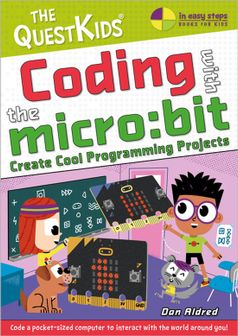
Coding Libri GmbH Coding With BBC Micro Bit

Coding Libri GmbH Coding With BBC Micro Bit

Tous les 2 prix et vendeurs

Choix le plus populaire – Meilleur prix !

Amazon.be· Vendeur reconnu
€ 17,49
-12% prijsdaling
3 à 4 joursLivraison gratuite
Check de website voor de levertijd | Gratis bezorgd > €20,-
Voir le produit
Voir le produit
Amazon.be Marketplace· Marketplace
€ 17,49
3 à 4 joursLivraison gratuite
Check de website voor de levertijd | Gratis bezorgd > €20,-
Voir le produit
Voir le produit

Spécifications

Belangrijkste kenmerken
EAN
9781787910003

Description du produit

First, Coding with micro:bitintroduces you to the hardware and software features of the micro:bit,including the built-in microphone, speaker, and touch sensor added in micro:bitversion 2. You’ll learn new skills such as how to code your micro:bit to playmusic, send messages, display pictures, and detect light.

  • Getting started: Thissection gives you a tour of the micro:bit and gets you started with coding yourfirst program.
  • Basics: Here, you’lllearn to display images and text on the micro:bit’s LED grid.
  • Inputs:: This sectionshows you how to work with the input systems on the micro:bit, like thebuttons, the accelerometer, and the light sensor.
  • Once you’ve mastered these skills, the book guidesyou through 10 exciting projects, including a temperature sensor, simpleinteractive games, and even an alarm system!

    1. The 99 game:This first project is a game of chance that involves throwing the micro:bitamong a group of people. You’ll learn more about coding, like using variablesand control flow techniques.
    2. Heads or tails:In this project, you’ll use the LED grid and accelerometer to create a “cointoss” generator that detects when you flip your micro:bit, and displays headsor tails.
    3. Steady hand game:This game challenges you to hold your micro:bit in your hand as long as you canwithout wobbling. You’ll also learn more about the micro:bit’s abilities andother fundamental coding techniques.
    4. Temperature display:Here, you’ll use the micro:bit’s built-in temperature sensor to detect thetemperature and scroll it across the LED grid.
    5. LED control:In this project, you’ll learn how to wire up an external LED and control itwith code. This exercise teaches you about using the micro:bit with othercomponents so you can build even bigger projects.
    6. Trespasser alarm:By connecting a speaker to your micro:bit, you’ll create an alarm system thatdetects when someone has broken into your room and alerts you by playing atune.
    7. Fortune teller:This project ramps up the coding complexity, showing you how to program yourmicro:bit to tell your fortune just like a Magic 8-Ball!
    8. Compass: Here,you’ll turn the micro:bit into a real working compass using its built-inmagnetometer.
    9. Radio communication:In this project you’ll use two micro:bits to send and receive radio messages.
    10. Bag alarm:Using your radio skills from the previous project combined with theaccelerometer, you’ll build a bag alarm with two micro:bits. The firstmicro:bit stays inside your bag and alerts a second micro:bit in your pocket ifsomeone tries to steal your bag.

    Each project has been designed to work with bothversions of the micro:bit.

    You’ll find “Try This” sections that suggest otherways for you to try out your new knowledge. These ideas will inspire you tobuild your own projects with the micro:bit.

    First, Coding with micro:bitintroduces you to the hardware and software features of the micro:bit,including the built-in microphone, speaker, and touch sensor added in micro:bitversion 2. You’ll learn new skills such as how to code your micro:bit to playmusic, send messages, display pictures, and detect light.


  • Getting started: Thissection gives you a tour of the micro:bit and gets you started with coding yourfirst program.
  • Basics: Here, you’lllearn to display images and text on the micro:bit’s LED grid.
  • Inputs: This sectionshows you how to work with the input systems on the micro:bit, like thebuttons, the accelerometer, and the light sensor.

  • Once you’ve mastered these skills, the book guidesyou through 10 exciting projects, including a temperature sensor, simpleinteractive games, and even an alarm system!


    1. The 99 game:This first project is a game of chance that involves throwing the micro:bitamong a group of people. You’ll learn more about coding, like using variablesand control flow techniques.
    2. Heads or tails:In this project, you’ll use the LED grid and accelerometer to create a “cointoss” generator that detects when you flip your micro:bit, and displays headsor tails.
    3. Steady hand game:This game challenges you to hold your micro:bit in your hand as long as you canwithout wobbling. You’ll also learn more about the micro:bit’s abilities andother fundamental coding techniques.
    4. Temperature display:Here, you’ll use the micro:bit’s built-in temperature sensor to detect thetemperature and scroll it across the LED grid.
    5. LED control:In this project, you’ll learn how to wire up an external LED and control itwith code. This exercise teaches you about using the micro:bit with othercomponents so you can build even bigger projects.
    6. Trespasser alarm:By connecting a speaker to your micro:bit, you’ll create an alarm system thatdetects when someone has broken into your room and alerts you by playing atune.
    7. Fortune teller:This project ramps up the coding complexity, showing you how to program yourmicro:bit to tell your fortune just like a Magic 8-Ball!
    8. Compass: Here,you’ll turn the micro:bit into a real working compass using its built-inmagnetometer.
    9. Radio communication:In this project you’ll use two micro:bits to send and receive radio messages.
    10. Bag alarm:Using your radio skills from the previous project combined with theaccelerometer, you’ll build a bag alarm with two micro:bits. The firstmicro:bit stays inside your bag and alerts a second micro:bit in your pocket ifsomeone tries to steal your bag.

    Each project has been designed to work with bothversions of the micro:bit.

    You’ll find “Try This” sections that suggest otherways for you to try out your new knowledge. These ideas will inspire you tobuild your own projects with the micro:bit.

    Avis

    Aucun avis n’a encore été écrit

    Tu possèdes ce produit et tu aimerais donner ton avis ? Commence ci-dessous à écrire ton avis. Selon le niveau de détail, écrire un avis prend en moyenne entre 3 et 10 minutes. Avec ton opinion, tu aides les autres visiteurs à faire un meilleur choix et tu tentes chaque mois de gagner 250 € ! Clique ici pour les conditions de l’action.

    Quelle note donnes-tu à ce produit ?