Description du produit
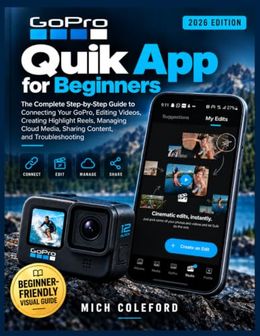
Stop recording great GoPro moments only to leave them buried on your camera, SD card, or phone.You captured the adventure. Now learn how to turn those raw clips into organized, polished videos you can enjoy, share, and remember.GoPro Quik App for Beginners is the complete step-by-step guide for anyone who wants to confidently connect a GoPro, manage media, create edits, work with 360 footage, and share finished videos without feeling overwhelmed by complicated editing software.Whether you are recording vacations, family memories, outdoor adventures, sports, travel videos, or social-media content, this practical guide walks you through the complete GoPro-to-finished-video workflow using the GoPro Quik mobile app.You will learn not only where to tap, but why each feature matters, how different media locations work, and how to avoid common mistakes that cause missing files, failed exports, storage problems, and confusing editing results.Inside this book, you'll discover: - How to install and set up GoPro Quik, understand the interface, and prepare your phone and camera for reliable use- How to connect your GoPro, manage Bluetooth and Wi-Fi communication, use Live Preview, and control supported camera features- How to view, transfer, organize, and protect your footage across your GoPro SD card, Quik local media, phone storage, and GoPro Cloud- How to create automatic highlight videos and customize them using Studio Edit, trimming, speed controls, music, text, themes, filters, and adjustments- How to choose the right resolution, frame rate, aspect ratio, codec, and export settings for YouTube, Instagram, TikTok, Shorts, and everyday sharing- How to edit GoPro MAX and MAX2 360-degree footage with reframing, keyframes, tracking, CameraFX, and social-ready exports- How to build complete projects, including action videos, travel montages, YouTube videos, short-form content, and 360 videos- How to solve common problems involving camera connections, media transfers, cloud syncing, storage limits, editing issues, and failed exports- How to create a repeatable workflow from recording your first clip to backing up your finished videosThis book is independently published for educational and informational purposes. It is not affiliated with, authorized by, endorsed by, sponsored by, or approved by GoPro, Inc. GoPro, HERO, MAX, MAX2, Quik, and related trademarks belong to their respective owners.Whether you are a first-time GoPro owner, a traveler, a creator, or someone who simply wants an easier way to manage videos, this guide gives you the practical knowledge to create better results with confidence.Get your copy of GoPro Quik App for Beginners today and start transforming your recordings into videos worth sharing.